GTK4/libadwaita build for Omarchy and Arch Linux
agterm for Omarchy
agterm is a terminal for running many shells and coding agents side by side, grouped into workspaces and driven by a control API. This project builds and releases its Linux version for x86_64 and aarch64, based on umputun/agterm and melonamin/agterm-linux.
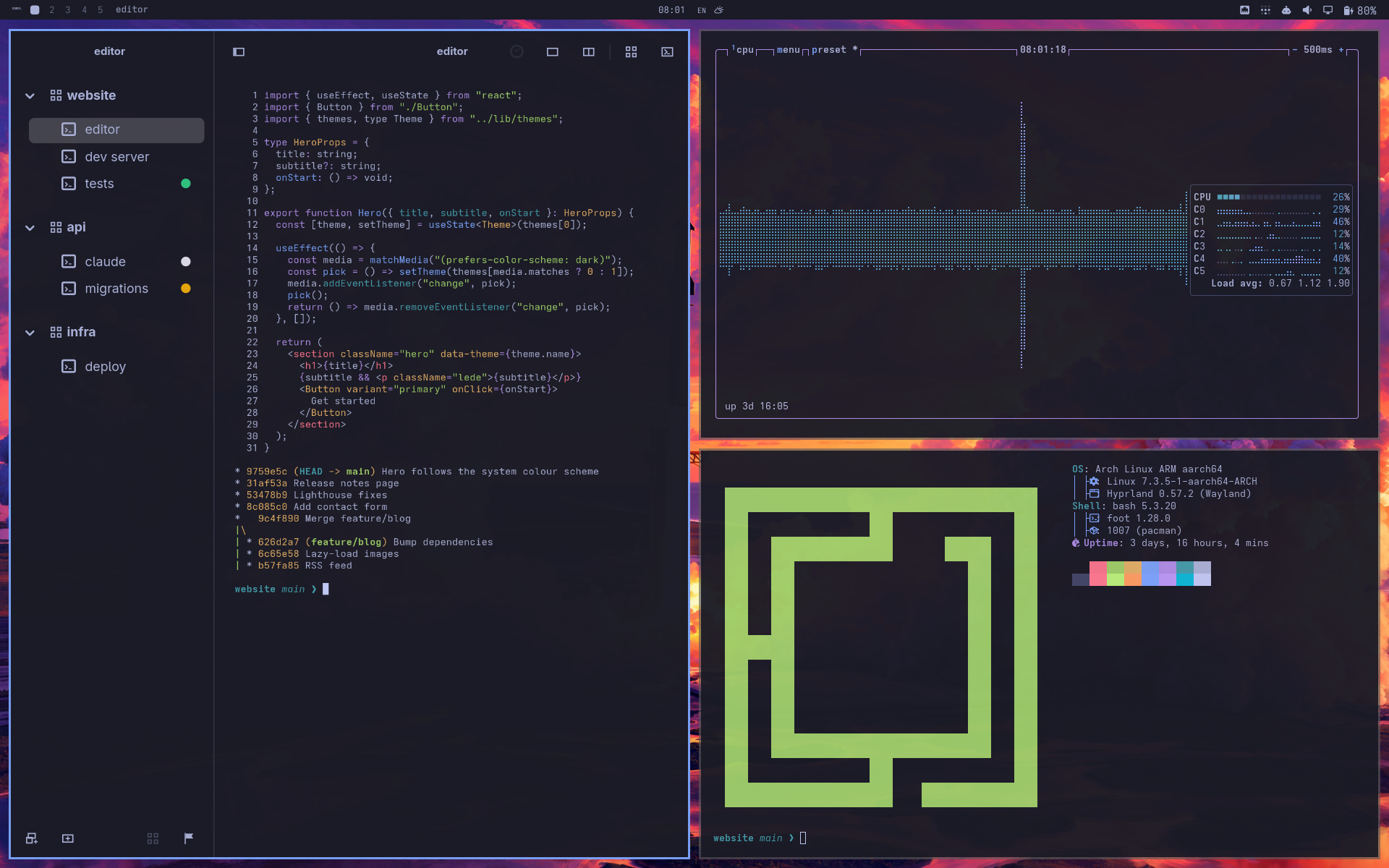
Theme following
It follows your Omarchy theme
omarchy theme set recolours the open agterm and Foot windows and updates the Omarchy bar and wallpaper: Gruvbox, Catppuccin, Catppuccin Latte, back to Tokyo Night. agterm stays open throughout. Theme-following demo on an aarch64 VM with software rendering and the optional Omarchy integration enabled. Download the recording (MP4).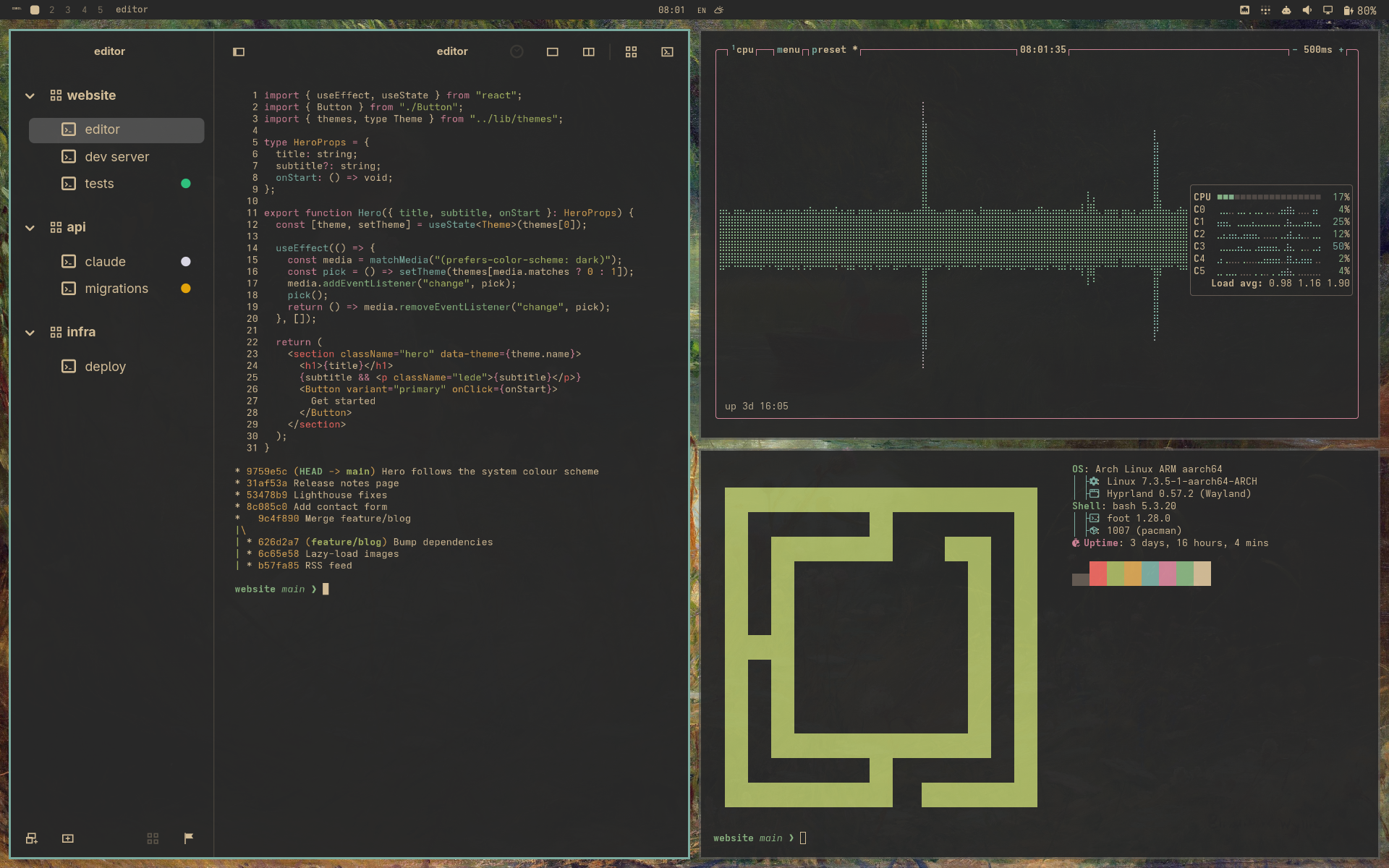
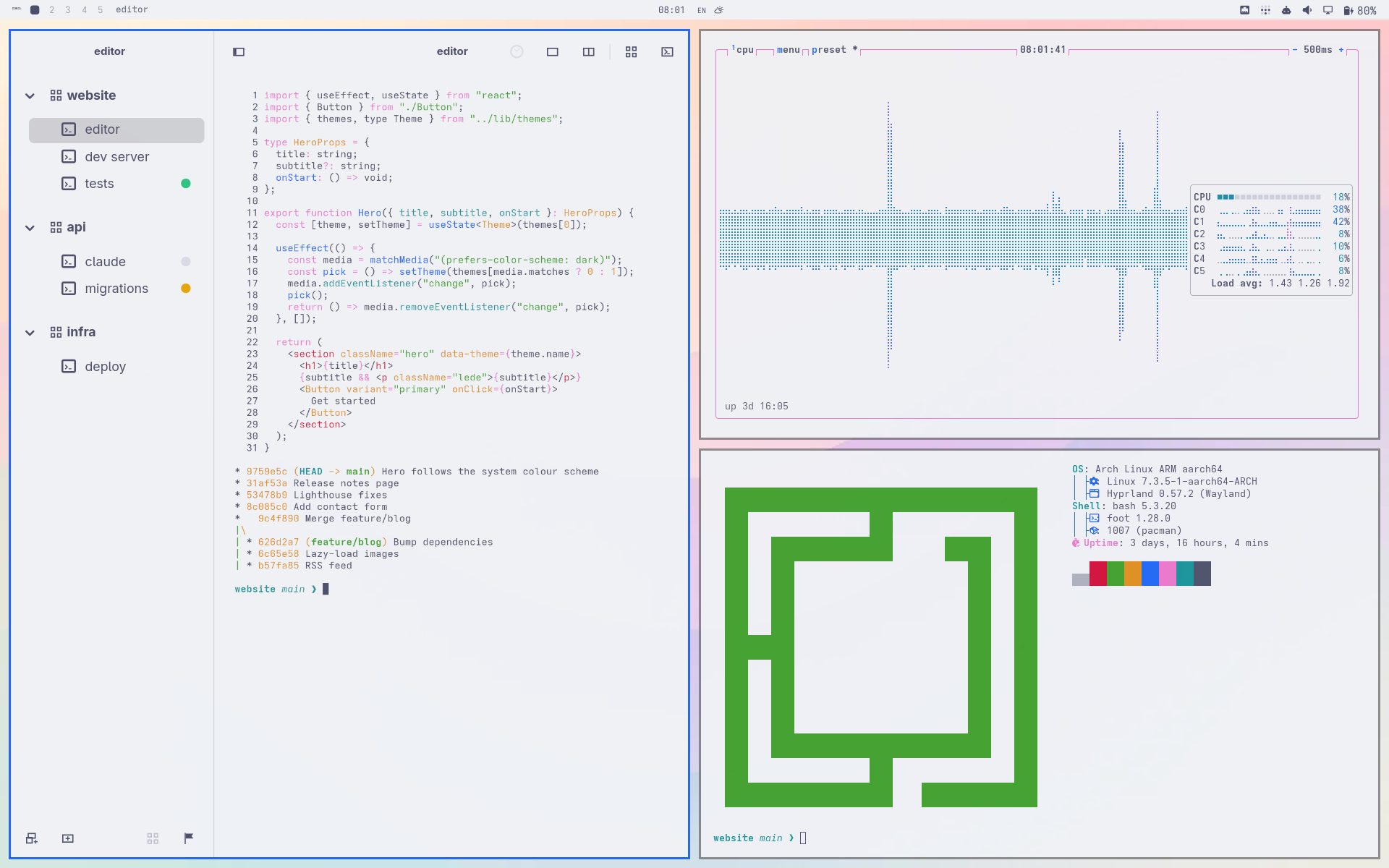
Same layout in Gruvbox and Catppuccin Latte. aarch64 VM, software rendering.
On Omarchy
What it does
Out of the box
With the Follow Omarchy setting, on by default, omarchy theme set, omarchy font set and the text size apply without a restart, with Omarchy's padding and steady cursor. Shift+Enter and Alt+Shift+Enter send the same CSI-u bytes as Omarchy's Ghostty.
Opt-in integration
With Omarchy's Lua-based Hyprland configuration, agtermctl integration omarchy enable makes it the default terminal: Super+Return, omarchy-launch-tui, the floating terminal and the menu's Web App installer open in it. Super+C/V copy and paste, with Omarchy's terminal opacity and touchpad scroll factor. agtermctl integration omarchy disable removes the marked block from hyprland.lua, keeping your other edits there, and puts xdg-terminals.list back as it was; a list you edited while enabled is left as you left it.
Workspaces and control
A libghostty terminal with a sidebar of workspaces and sessions, Live sessions that reattach when you reopen agterm, and agtermctl to drive it from scripts or coding agents.
Known gaps
GPU rendering and real touchpad feel are untested (the test VM uses software rendering); Omarchy's Default-terminal menu doesn't list agterm; "new terminal here" picks the newest session's folder in a multi-session window; the quick terminal has no global hotkey under Hyprland.
Install
Verify, then install into ~/.local
This block from the README uses gh (signed in with gh auth login) and git. It checks the release's checksum and build attestation before it extracts or installs anything into ~/.local. agterm needs GTK4, libadwaita, WebKitGTK 6 and platform system libraries; the installer needs python3. To uninstall, run agterm-release/agterm-omarchy/scripts/install-linux.sh --uninstall from the directory where you ran the block.
(
  set -eu
  mkdir agterm-release
  cd agterm-release
  repo=alexandru-savinov/agterm-omarchy
  arch=$(uname -m)  # x86_64 or aarch64
  tag=$(gh release view --repo "$repo" --json tagName --jq .tagName)
  gh release download "$tag" --repo "$repo" --pattern "agterm-omarchy-*-$arch.tar.gz" --pattern SHA256SUMS
  sha256sum --check --ignore-missing SHA256SUMS
  gh attestation verify agterm-omarchy-*-"$arch".tar.gz --repo "$repo" \
    --signer-workflow "$repo/.github/workflows/prerelease-omarchy.yml" --source-ref refs/heads/main
  tar -xzf agterm-omarchy-*-"$arch".tar.gz  # unpacks agterm-stage/
  git clone --depth 1 --branch "$tag" "https://github.com/$repo.git"  # installer at the release's source commit
  agterm-omarchy/scripts/install-linux.sh --payload agterm-stage
)Each omarchy-v release carries an x86_64 and an aarch64 archive, SHA256SUMS, promotion.json and GitHub build-provenance attestations. The automatic release path publishes only after Omarchy CI passes on a main push and the native gates pass on both architectures for those CI archives. Promotion then writes version-stamped release archives with different digests; promotion.json records both digests, and an automatic release also records auto_release_run_id in promotion.json. A versioned release dispatched by hand does not require native gate results.
The native gates install each archive in an Arch Linux (x86_64) or Arch Linux ARM (aarch64) container with the Omarchy desktop packages from the official Arch repositories and run ordinary-session, Live-restore, configuration and uninstall checks under Hyprland with Mesa software rendering. They do not test an Omarchy ISO installation or hardware GPU rendering.
For automatic releases, the gates run again on the published release archives right away and every two hours for 24 hours. A confirmed failure marks the release as a prerelease and opens a release-incident issue that pauses automatic releases.
Status and help
Where to ask and what is next
The pinned Status and roadmap issue says what is being worked on. Ask questions and share ideas in Discussions, report a bug through the bug form, and read CONTRIBUTING.md to send a fix. Report suspected vulnerabilities privately through SECURITY.md.
main is 1204 commits ahead and 0 behind melonamin/agterm-linux:linux-port; a merge would conflict on 0 paths.
Measured at 76d0a19d against 12e8b468 by run 45212832003. The run is report-only and changes nothing.
Proof, not promises